Prayer times & Qibla, anywhere
Prayer times,
quietly accurate
Calculated on your phone, never fetched: the times from the position of the sun where you are, the Qibla from the coordinates of the Kaaba. Works in airplane mode.

 Coming soon
- 12 calculation methods
- Works in airplane mode
- No account, no sign in
- No adverts
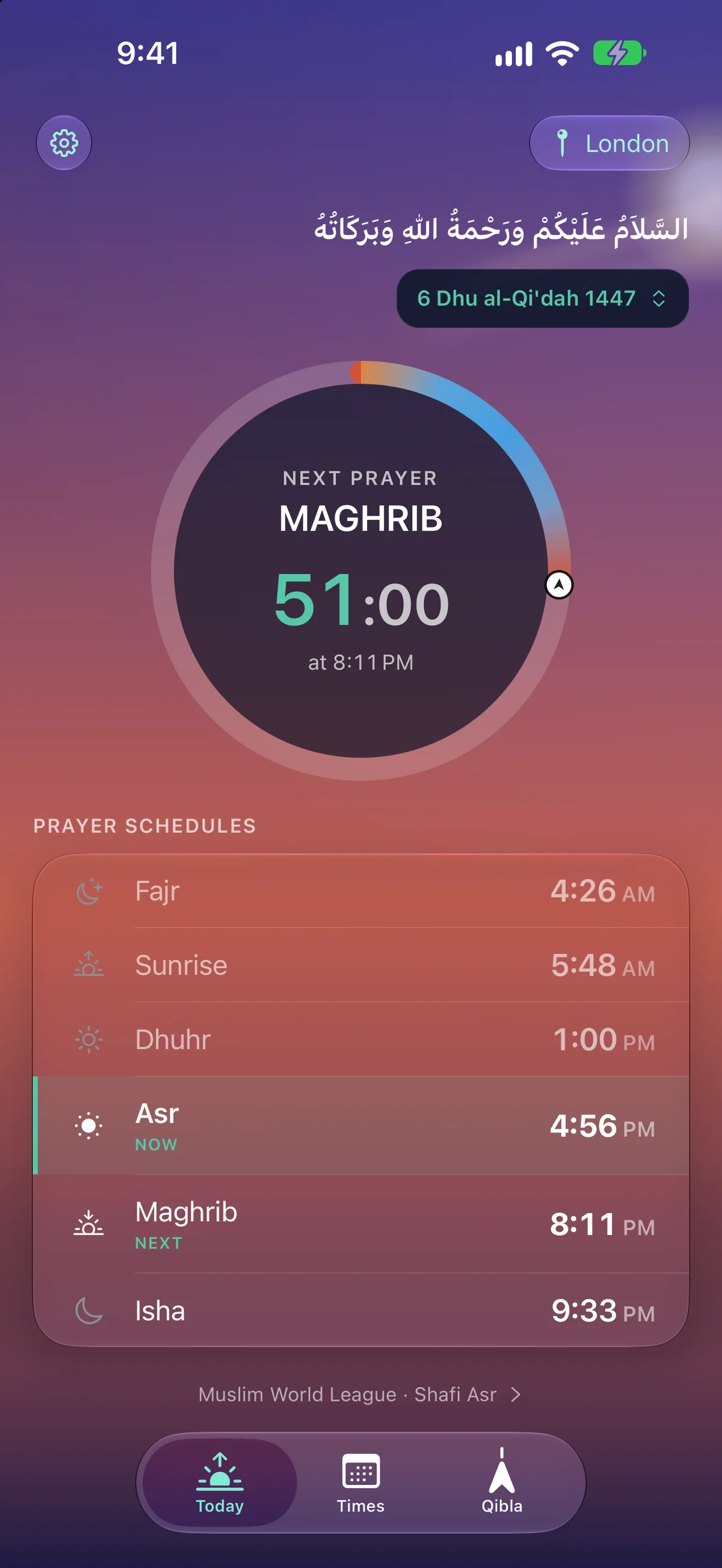
Salah Time exists to answer two questions well: when is the next prayer, and which way do I face. Everything else is in service of those.
01 / 04
Qibla
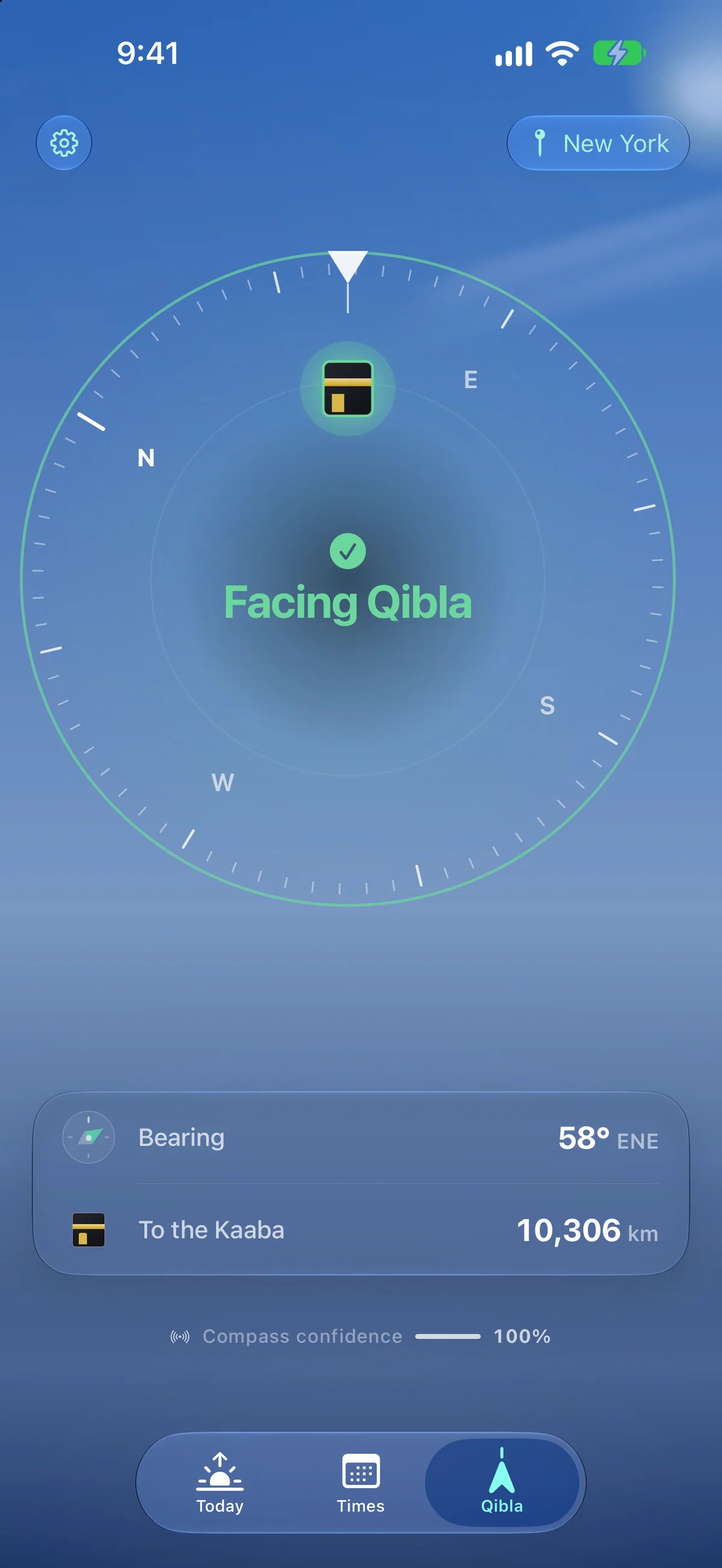
Find the direction, steadily
A live compass corrected to true north, with haptic feedback as you come into alignment.
- Corrected to true north
- Haptics on alignment
- Bearing and distance
02 / 04
Prayer times
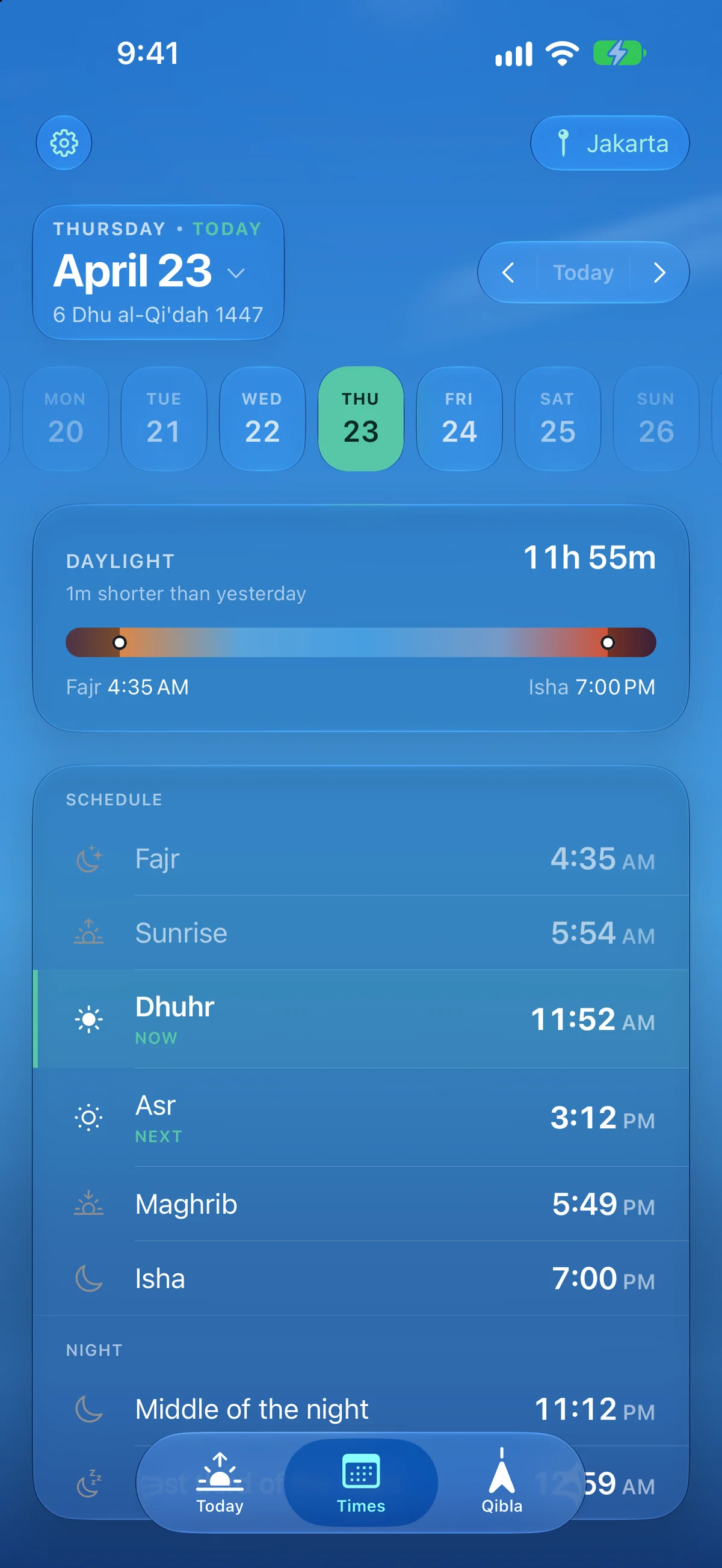
Precise times, anywhere on earth
Calculated on device for any location, with the major calculation methods, both Asr schools, high-latitude rules and per-prayer offsets.
- Twelve methods
- Standard or Hanafi Asr
- High latitude rules
03 / 04
Adhan & reminders
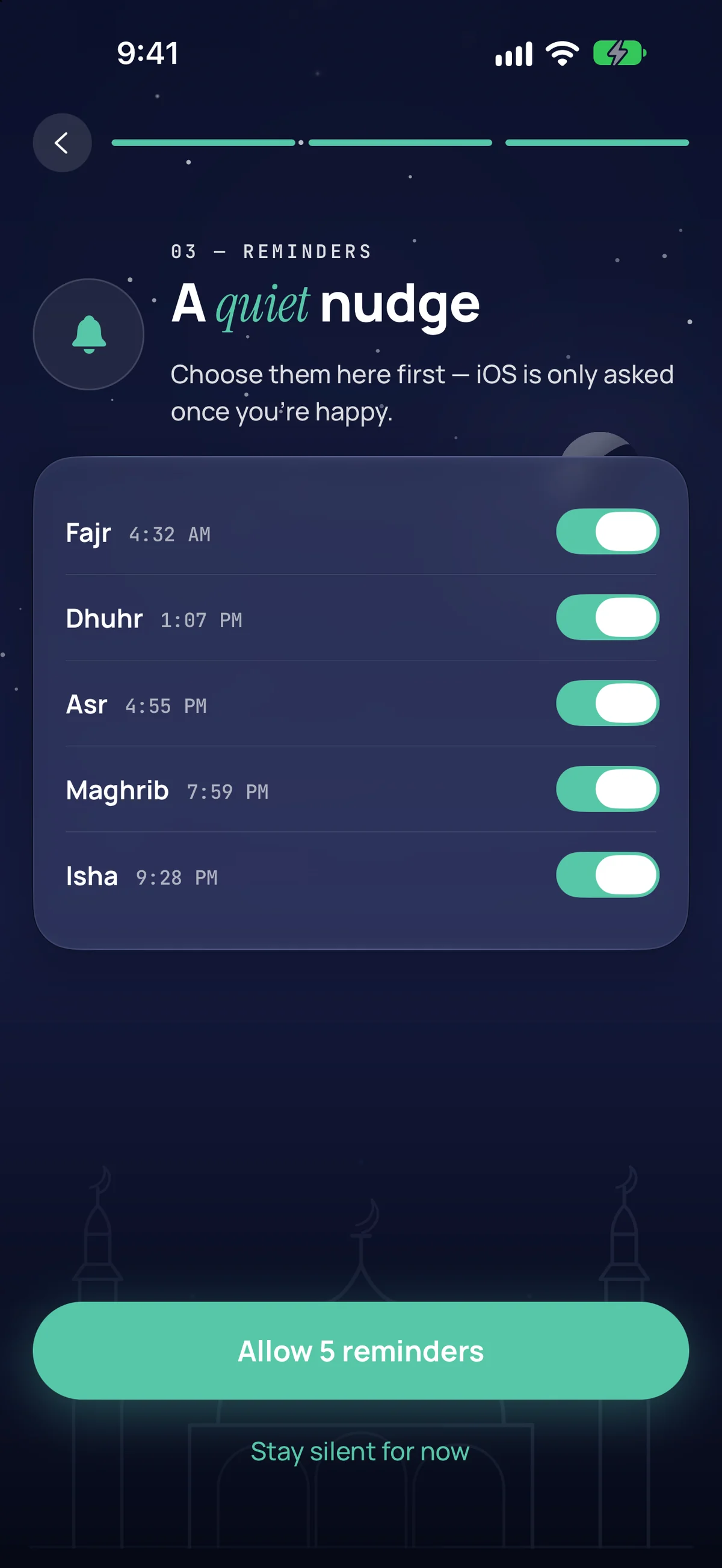
Reminded exactly how you want
Per-prayer notifications, each with an optional reminder some minutes before.
- One switch per prayer
- Optional earlier nudge
- Scheduled on device
04 / 04
Setup
Any city on earth, found in a tap
Keep several places and switch between them, or follow your device's location.
- Offline city catalogue
- Each city in its own clock
- Or follow your location
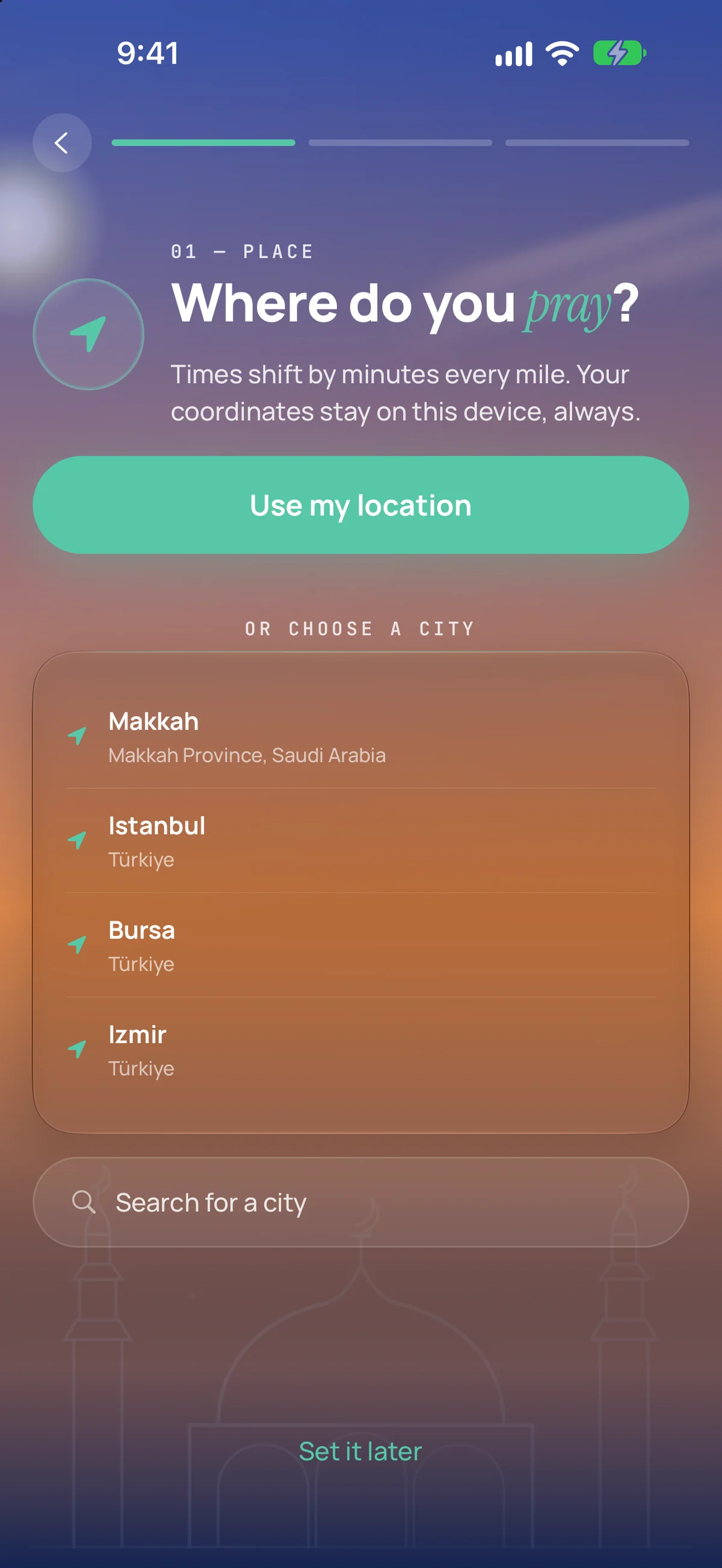
Getting started
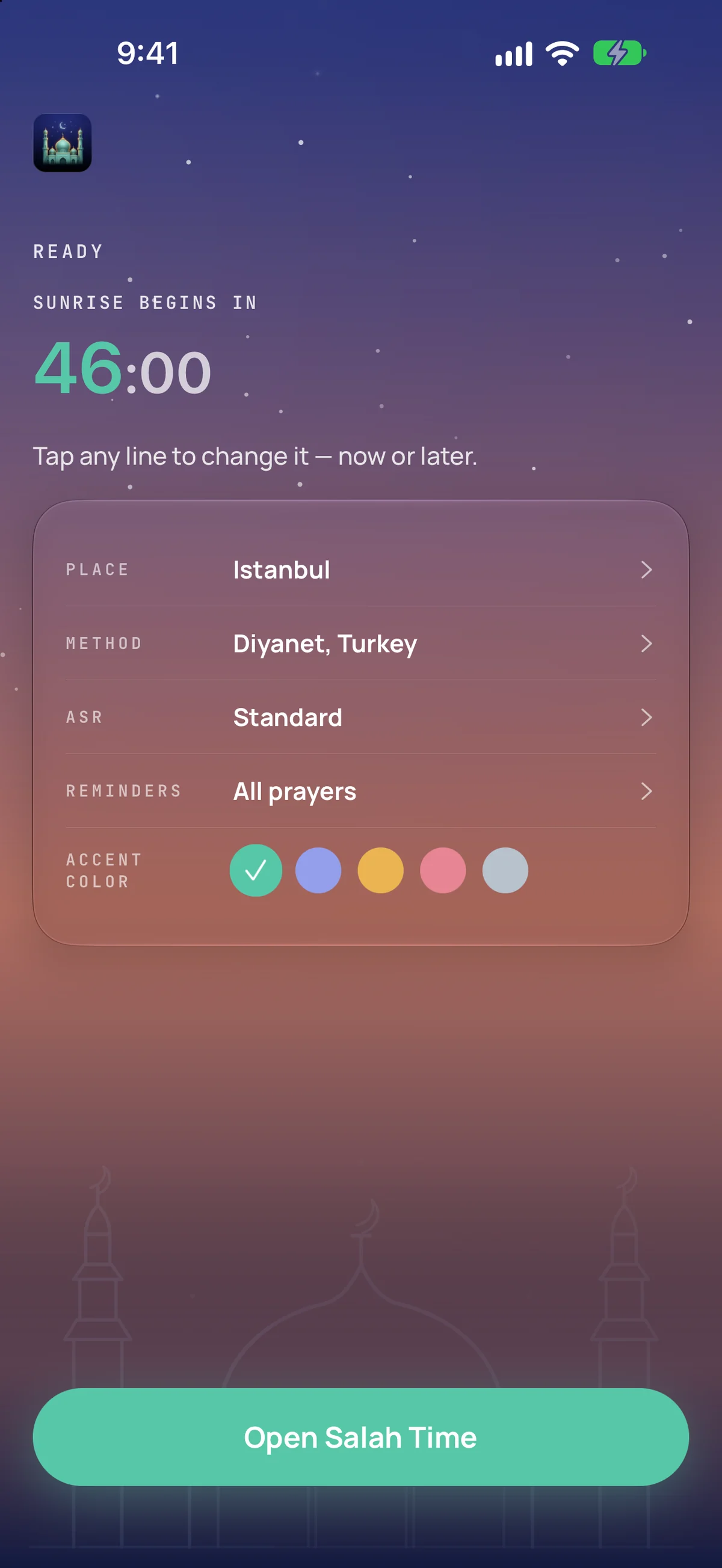
Three screens and it is set up
Everything after this is the app getting out of the way. There is no account to make, nothing to verify, and no step that needs a connection.
1Set up
Pick your city, or follow where you are
A built in catalogue finds cities with no connection at all. Save as many places as you like and move between them, each in its own clock.
2Method
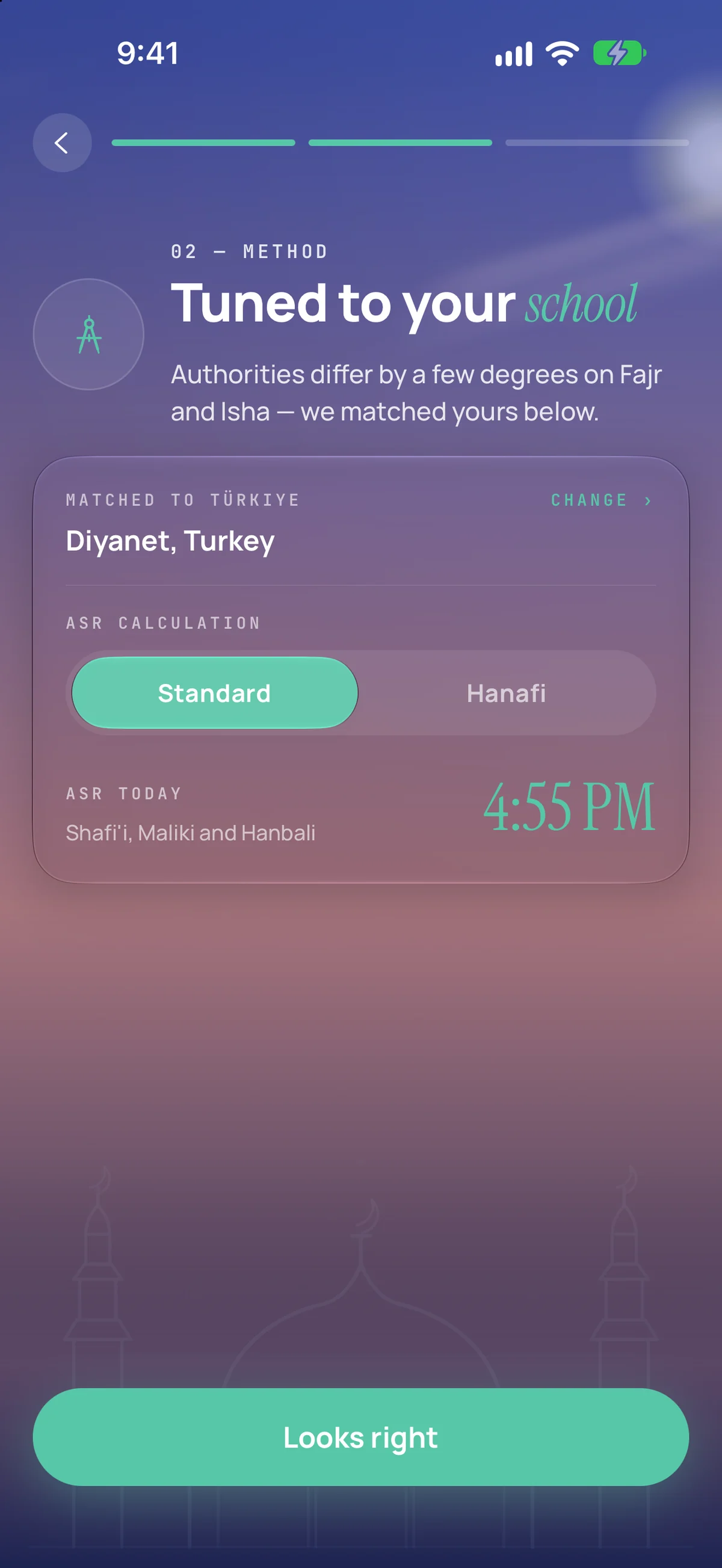
Choose the method your mosque follows
Twelve established methods and both Asr schools, or set your own Fajr and Isha angles. A local timetable that rounds a few minutes is a per prayer offset away.
3Reminders
Turn on only the alerts you want
Each prayer is its own switch, with an optional nudge some minutes before. Your phone is asked for permission once the list is how you want it, not before.
Features
Everything it does
The whole list, on one screen. Every one of them is free, none is behind an account, and nothing here is a trial.
Prayer times anywhere
Calculated on device for any location, with the major calculation methods, both Asr schools, high-latitude rules and per-prayer offsets.
Qibla compass
A live compass corrected to true north, with haptic feedback as you come into alignment.
Isha · in 1h 40m
Maghrib · 12m
Prayer alerts
Per-prayer notifications, each with an optional reminder some minutes before.
Hijri calendar
The Islamic date alongside the Gregorian one, adjustable to match your local moonsighting.
Ramadan times
Suhoor and Iftar shown on the Today screen through Ramadan.
Widget and Live Activity
The next prayer and its countdown on your Home Screen and Lock Screen. iOS only for now.
Saved locations
Keep several places and switch between them, or follow your device's location.
Works offline
No account, no sign-in, and no connection needed for anything the app calculates.
Accuracy
Not a timetable. A calculation.
Most apps download a table of times for your city. This one works them out where you are, from where the sun is — which is why it needs no connection, and why it is right in places no table covers.
Solar positions follow the algorithms in Jean Meeus, Astronomical Algorithms, which are accurate to well under a minute for any date this century.
12 established calculation methods
Or set your own Fajr and Isha angles.
- Muslim World League
- Egyptian General Authority
- University of Islamic Sciences, Karachi
- Umm al-Qura, Makkah
- Dubai
- Moonsighting Committee
- Islamic Society of North America
- Kuwait
- Qatar
- Singapore
- Diyanet, Turkey
- Institute of Geophysics, Tehran
Asr, either school
The shadow length Asr begins at.
Standard
Shafi'i, Maliki and Hanbali
Hanafi
High latitudes, three ways
Where twilight never truly ends for part of the year.
Middle of the Night
Fajr and Isha never cross the midpoint between sunset and sunrise.
One Seventh of the Night
Fajr is the last seventh of the night, Isha the first seventh.
Angle Based
The night is divided in proportion to the method's twilight angles.
Twilight angles vary between authorities, and no single method is correct everywhere. If your local mosque publishes different times, change the method or use the per-prayer offsets in Advanced.
Private by default
No account. Nothing leaves this phone
No account, no sign in, and no server of mine for your data to sit on. What the app knows about you, your phone knows and nothing else does.
Your location and settings stay on this device — they are never uploaded, and there is no account to sync them to. On builds with telemetry delivery configured, leaving update diagnostics enabled sends pseudonymous update health events to monitor releases; the other network interactions are a city search, if you use one, and the optional reward feature.
Before you install
The questions people actually ask
Written for the ones that come after something has not worked the way you expected. Every answer describes what the app really does.
The times are a few minutes off from my mosque.
Twilight angles vary between authorities and no single method is correct everywhere, so two honest calculations can disagree by several minutes. First change the calculation method in Settings to the one your mosque follows.
The Qibla compass will not settle, or never confirms alignment.
Almost always this is compass accuracy rather than the direction itself. If the app says accuracy is low, it will not confirm alignment — that is deliberate, because a confident arrow drawn from a bad heading is worse than no arrow.
I am not getting notifications.
Check that notifications are allowed for Salah Time in your phone's own Settings, then that the prayer you expected is switched on in the app's Notifications screen. Each prayer is separate, and each has its own optional reminder some minutes before.
Does it work without a connection?
Yes. Prayer times and the Qibla are calculated on your device from the position of the sun and the coordinates of the Kaaba, not downloaded, so both work in airplane mode and anywhere on earth.
Is there an account? Where does my location go?
There is no account and no sign-in. Your location and settings stay in your device's own storage and are never uploaded — there is nowhere to upload them to.
Is there a widget on Android?
Not yet. The Home Screen widget and Live Activity are iOS only at the moment. Everything else — times, Qibla, notifications, saved locations — works the same on both.
Prayer times and Qibla direction, calculated on your device.
It calculates from the position of the sun rather than downloading a timetable, so it works anywhere on earth, with no account and no connection. It is free, has no advertising, and every feature stays available to everyone.
Coming soon- 12 calculation methods
- Works in airplane mode
- No account, no sign in
- No adverts